Office Workstation Manufacturers in Delhi
Plan a productive workplace with office workstations designed around your team size, floor layout, storage needs and daily work requirements.
From individual office desks and 2-seater clusters to back-to-back workstation systems and larger open-plan layouts, the right configuration can help organise your office and make better use of available space.
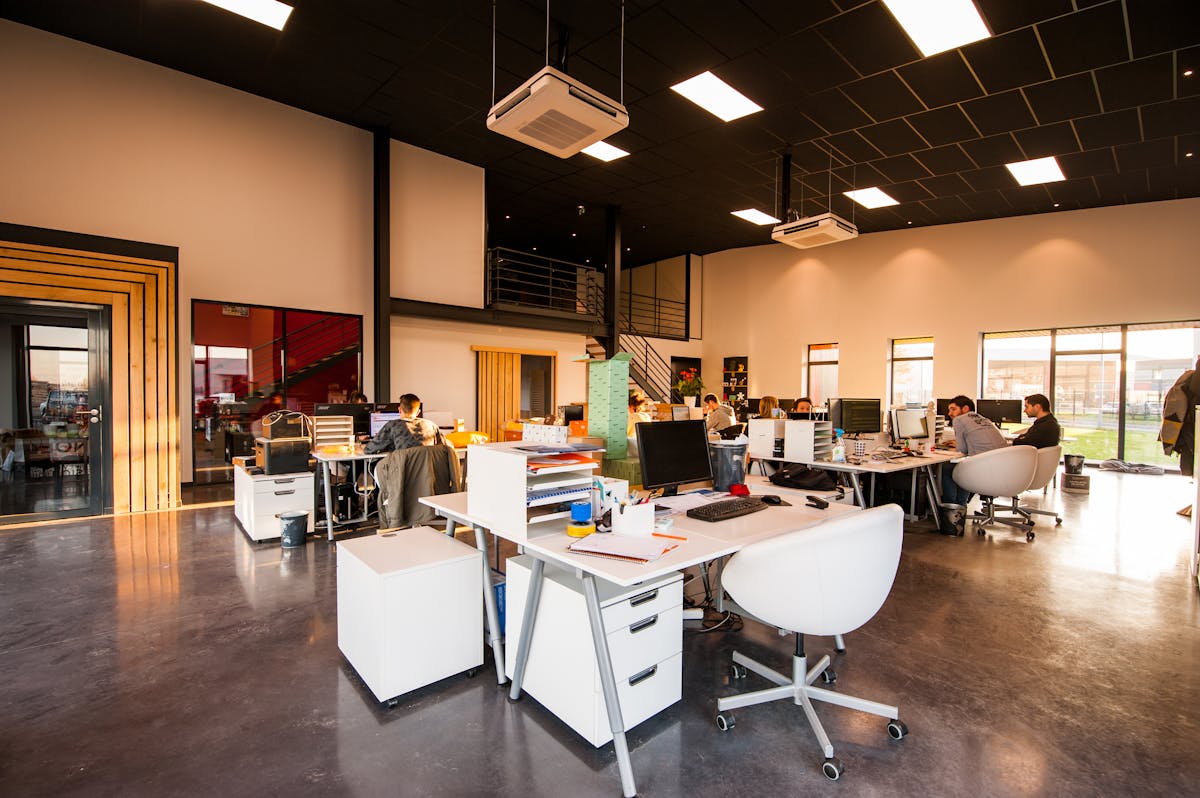
Office Workstations Designed for Your Business
An office workstation is more than a desk. It combines a working surface, seating space, storage, cable routing and, where required, a privacy partition. These elements should work together with your office layout and the tasks employees perform every day.
When evaluating office workstation manufacturers in Delhi, consider how each proposed system will fit the floor plan, support employee movement, accommodate equipment and allow practical maintenance.
Types of Office Workstations in Delhi
The best workstation configuration depends on the number of employees, the nature of work, available floor area and the level of privacy required.

Single Office Workstations
Individual desks for employees who need a dedicated work surface and personal storage.
- Standalone desk configurations
- Optional drawer pedestals
- Monitor and cable provisions
- Suitable for compact work areas
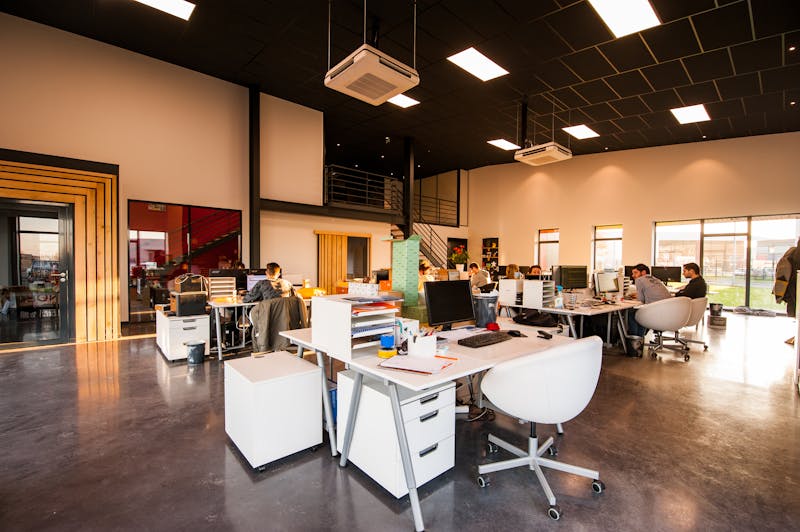
2-Seater Workstations
A paired desk arrangement for two employees sharing a compact office zone.
- Side-by-side desk layouts
- Shared or separate storage
- Optional divider panels
- Coordinated cable management

4-Seater Workstation Clusters
Clustered desks that organise a small team around a shared work area.
- Centralised or shared divider options
- Consistent desk dimensions
- Team-friendly seating arrangement
- Planned power and data routing

Linear Workstations
Rows of desks that can suit larger teams with similar day-to-day tasks.
- Repeated desk modules
- Coordinated seating positions
- Shared service planning
- Optional modesty or divider panels

Back-to-Back Workstations
Two rows of work surfaces positioned back-to-back for an organised team layout.
- Efficient use of floor area
- Optional centre divider
- Coordinated cable routing
- Storage planned by seat

Custom and Modular Workstations
Furniture layouts adapted to specific office dimensions, workflows and expansion plans.
- Custom desk sizes and finishes
- Configurable panels and storage
- Options for future layout changes
- Coordination with other office furniture
Why Choose Modular Office Workstations?
Modular workstation systems use repeatable components to organise desks, partitions and storage. Depending on the system, components may be rearranged or extended when the team or office layout changes.
- Consistent layout: Repeated desk modules help maintain a coordinated office appearance.
- Space planning: Standardised dimensions can make seating arrangements easier to plan.
- Integrated storage: Drawers, pedestals and shared storage can be included where needed.
- Cable management: Planned routing helps reduce visible wire clutter.
- Flexible configurations: Some systems support reconfiguration when requirements change.
- Coordinated finishes: Desk surfaces, frames and panels can be specified to match the office design.

Office Workstation Features to Consider
Before selecting a workstation, define what employees need at their desks. The right features depend on equipment, work tasks, storage requirements and available floor space.
| Feature | Purpose | Planning Consideration |
|---|---|---|
| Desk surface | Provides room for monitors, laptops, documents and work accessories. | Choose dimensions based on equipment and task requirements. |
| Privacy partitions | Define individual desk areas and limit some visual distractions. | Consider panel height, material, visibility and team interaction. |
| Cable management | Organises power and data cables around work surfaces. | Coordinate cable trays, grommets and accessible service points. |
| Storage pedestals | Provide convenient storage for stationery, files and personal items. | Check drawer dimensions, locking requirements and legroom. |
| Metal frames | Support the desk structure and influence the overall design. | Review construction, stability, finish and load suitability. |
| Desk screens | Separate neighbouring desks and define work areas. | Choose suitable materials and dimensions for the intended privacy level. |
| Ergonomic accessories | Help organise monitors, keyboards and other frequently used equipment. | Match accessories to user needs and compatible desk specifications. |
Furniture alone does not guarantee an ergonomic workplace. Desk dimensions, adjustable seating, monitor placement, lighting, legroom and employee needs should be considered together.
Choosing Materials for Office Workstations
Office workstations need to suit the intensity of daily use, the office environment and the available maintenance budget. Ask manufacturers to specify the construction and finish of each component.
- Engineered wood panels: Commonly used for desk surfaces, modesty panels and storage units.
- Laminate finishes: Offer a range of colours and surface appearances for office furniture.
- Metal frames: Provide structural support in many workstation configurations.
- Fabric or other divider panels: Help separate work areas and can change the visual character of the office.
- Glass elements: May be used for selected partitions or design details where appropriate.
- Hardware: Drawer channels, hinges, locks and connectors affect day-to-day usability.

What Affects Office Workstation Prices in Delhi?
Office workstation pricing varies by specification and quantity. A simple desk is different from a multi-seat cluster with partitions, storage, integrated cable management and installation.
| Cost Factor | How It Affects the Quote | What to Confirm |
|---|---|---|
| Number of seats | Determines the number of desks, partitions and related components. | Confirm the final seat count and workstation configuration. |
| Desk dimensions | Changes material quantities and the footprint of each workstation. | Approve desk width, depth and height in the drawings. |
| Materials and finish | Different boards, laminates, frames and finishes have different costs. | Request written material specifications and finish samples. |
| Partitions | Panel size, material and mounting method affect the price. | Confirm panel type, height and quantity. |
| Storage and accessories | Pedestals, drawers, cable trays and other fittings add components. | List included accessories for every workstation. |
| Quantity and customisation | Bulk orders and custom dimensions can change manufacturing and installation costs. | Compare quotes using the same specifications and quantity. |
| Delivery and installation | Site access, assembly and installation requirements affect project costs. | Check transport, taxes, installation and exclusions. |
For an accurate estimate, share the floor plan, seat count, required workstation type, preferred materials and installation location. Request an itemised quotation instead of relying on a generic price per workstation.
How to Plan an Efficient Workstation Layout
A good layout balances desk capacity with circulation, collaboration, comfort and access to services. Use the actual floor plan and employee requirements before confirming the workstation order.
Count the Seats
Confirm the current team size and allow for realistic future requirements where appropriate.
Map the Space
Record room dimensions, columns, doors, windows, power points and circulation routes.
Choose the Layout
Compare single desks, linear rows, clustered workstations and back-to-back arrangements.
Confirm the Details
Approve desk sizes, storage, partitions, cable routes, materials and installation requirements.
For a coordinated office setup, explore our guides to modular office furniture in Dwarka, office interior designers in Delhi and office fit-out costs in Delhi.
How to Choose Office Workstation Manufacturers in Delhi
Look for a supplier who can explain the workstation construction, clarify the scope and coordinate delivery and installation. A clear quotation makes it easier to compare manufacturers fairly.
- Product experience: Review workstation projects relevant to your team size and layout.
- Technical drawings: Check dimensions, seating configuration and installation details.
- Material clarity: Confirm board specifications, frame construction and finish options.
- Itemised pricing: Ensure desks, partitions, accessories, delivery and installation are addressed.
- Production timeline: Agree on approvals, manufacturing, delivery and installation dates.
- After-sales support: Ask about hardware adjustments, workmanship issues and warranty coverage.

Office Workstation Purchase Checklist
Use this checklist to prepare your workstation brief and compare supplier quotations.
Layout and Specification
- Final seat count and workstation configuration
- Desk dimensions and floor plan
- Material, thickness and surface finish
- Partition type, dimensions and accessories
- Storage requirements for each seat
- Power, data and cable management needs
Commercial and Installation Details
- Itemised quotation and taxes
- Delivery and installation charges
- Production and completion schedule
- Payment milestones and change approvals
- Warranty terms and after-sales support
- Written list of exclusions and site responsibilities
Office Workstation Manufacturers in Delhi: FAQs
Answers to common questions about office workstations, modular systems, pricing and installation.
What should I look for in office workstation manufacturers in Delhi?
Compare workstation design experience, material specifications, dimensions, hardware, cable management, storage options, itemised quotations, delivery timelines and installation support. Review drawings and confirm the full scope before placing an order.
What types of office workstations are available?
Common options include single desks, linear workstations, 2-seater clusters, 4-seater clusters, back-to-back workstations, cubicle-style systems, executive desks and modular configurations for open-plan offices.
How much do office workstations cost in Delhi?
Office workstation prices depend on the number of seats, dimensions, materials, partitions, storage, hardware, cable management and installation. Request an itemised quotation based on the floor plan and required specifications.
Which material is suitable for office workstations?
Workstations may use engineered wood panels, laminates, metal frames, glass or fabric partitions and other components. The suitable combination depends on expected usage, load, design, maintenance and budget.
Are modular office workstations suitable for growing businesses?
Modular workstations can be useful for growing teams because configurations may be extended or rearranged when the system is designed for that purpose. Confirm compatibility, reconfiguration requirements and expansion costs with the manufacturer.
What should an office workstation quotation include?
A quotation should define workstation quantities and dimensions, materials, frame and partition specifications, storage, cable management, accessories, delivery, installation, taxes, lead time, payment milestones and exclusions.
How can I plan an ergonomic office workstation layout?
Consider desk dimensions, chair movement, monitor placement, legroom, lighting, cable routing and circulation paths. Finalise the layout using the actual floor plan and employee requirements, and follow applicable workplace safety and accessibility needs.
Can office workstations be customised for a specific floor plan?
Workstations can often be specified with different desk dimensions, configurations, partitions, finishes and storage options. Share the floor plan and required seat count so the proposed layout can be checked against the site’s dimensions and service points.
Explore More Office Interior and Furniture Guides
Continue planning your workspace with these related service and cost guides.
Planning Office Workstations in Delhi?
Prepare your office floor plan, team size, workstation preferences, material requirements and target budget. A clearly defined brief makes it easier to evaluate layouts and request a detailed quotation.